



More HDMI Inputs for Your TV or Monitor
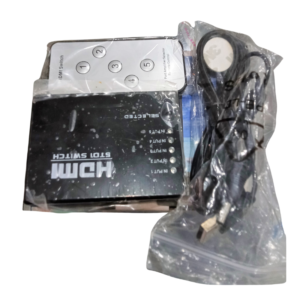
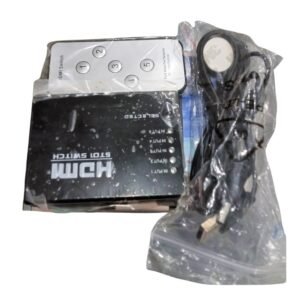
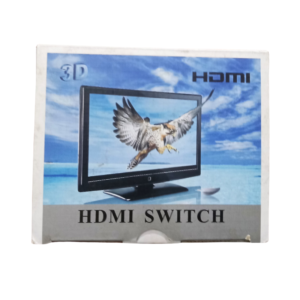
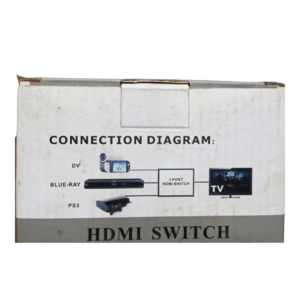
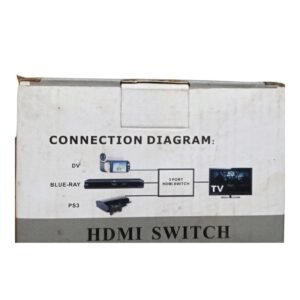
Few things are more annoying than running out of HDMI ports. This HDMI switch for multiple devices lets you connect several HDMI sources, such as a decoder, a console, a laptop and a DVD player, to one TV or monitor, and select the one you want to watch.
It is a simple, low-cost way to add HDMI ports without replacing your TV. Ask our team to confirm the number of inputs, the supported resolution and whether it needs power.
Key Features and Benefits
- Multiple HDMI inputs. Connect several devices to one display.
- Simple switching. Choose the source with a button.
- No more cable swapping. Keep every device connected.
- Compact. Easy to place behind the TV.
- Low cost. Cheap way to add ports.
Where It Works Best
It suits homes with several devices, bars and restaurants, hotels, offices and meeting rooms that share one screen between many sources.
Buying Guide: What to Check First
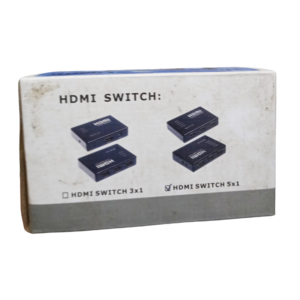
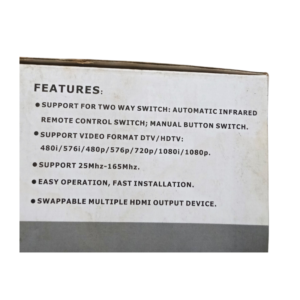
Ask our team how many inputs it has, whether it supports 4K, if it has a remote and whether it needs power. For 4K content, check the 4K model we also stock. Use good quality HDMI cables.
Installation and Setup Tips
Connect each device to a numbered input and the output to the TV. Power the switch if needed, then select an input with the button. Test each device for picture and sound.
Why Your TV Runs Out of Ports
Modern homes have more HDMI devices than TVs have ports: decoders, consoles, streaming sticks, soundbars and laptops. A switch lets you connect them all and avoid constant unplugging. It also reduces wear on your TV's ports.
Choosing Between 1080p and 4K Switches
A Full HD switch is fine for most TVs, while a 4K switch is needed for 4K sources. Check your devices before buying. If you plan to upgrade to 4K later, a 4K switch is a safer choice.
Setting Up Your Entertainment Area
Place the switch where you can see its lights and reach the buttons. Label the inputs so family members can choose devices easily. Keep it ventilated and away from heat.
Switch Behaviour You Should Know About
Some HDMI switches select inputs automatically when a device powers on, while others need a manual press. Automatic switches are convenient but may change inputs unexpectedly. If your picture jumps between devices, check whether auto-switching is on. Learn how your switch behaves, and label the inputs. A little knowledge makes using a switch simple and predictable, especially for family members and staff.
Keeping HDMI Ports Healthy
Constant plugging and unplugging can wear out ports on your TV. A switch keeps your cables connected, so you only handle the switch. Do not force cables, and keep ports free of dust. If a connection becomes loose, use a different port or replace the cable. Good care of ports extends the life of your TV and devices.
Frequently Asked Questions
How many inputs does it have?
Ask us.
Does it support 4K?
Ask us. We have a 4K model too.
Does it need power?
Ask us.
Can two devices show at once?
No, one at a time.
Buy HDMI Switch For Multiple Devices From Nosik Mart
Add ports with the HDMI Switch for Multiple Devices. Add it to your cart today, or contact the Nosik Mart team for availability, delivery options and help choosing the right setup.