

Show Your Computer Screen on an Old TV With Video Inputs
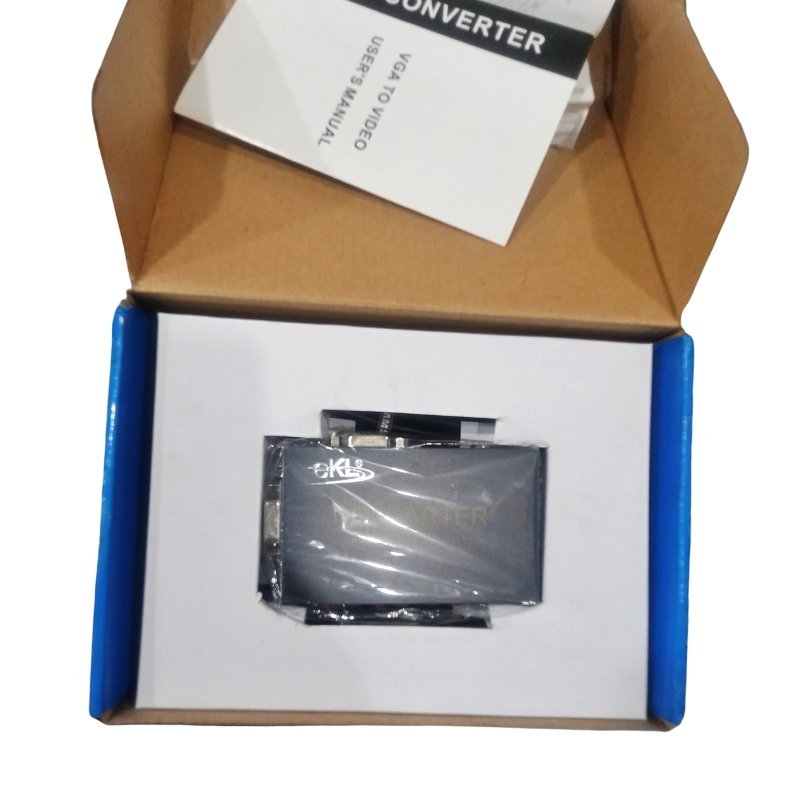
Presenting from a PC on an old TV or projector can be a puzzle when the display has only video inputs. The eKL high resolution VGA to video converter takes the VGA output from a computer and converts it to a standard video signal, so you can show the screen on TVs and other displays with AV inputs.
This is a useful tool for classrooms and meeting rooms that still use older TVs. The picture is standard definition, so it works best for slides and video, not for small computer text. Ask our team about the supported output resolutions.
Key Features and Benefits
- VGA to video conversion. Connects a PC to AV displays.
- High resolution input. Accepts computer VGA signals.
- Works with old TVs. Reuse existing displays.
- eKL brand. A known converter brand.
- Compact. Small and easy to carry.
Where It Works Best
It suits classrooms with older TVs, meeting rooms, churches, small shops and anyone who wants to show a laptop or PC on an AV-only display.
Buying Guide: What to Check First
Ask our team which video outputs the converter has, such as composite or S-Video, and what resolutions it supports. Computer text can look blurry on composite video, so use large fonts. Check whether it needs power and the supported TV standard.
Installation and Setup Tips
Connect the VGA output of the computer to the converter and an AV cable from the converter to the TV. Power the converter, set the TV to AV input and set the computer's resolution to a supported value. Increase font sizes for readability.
Why Fonts Matter on Composite Video
Composite video has limited resolution, so small text becomes blurry. When presenting through a VGA to video converter, use large fonts, high-contrast colours and simple slides. These choices make your content readable even on an old TV.
Setting the Computer Resolution
Set your computer's resolution to a low value such as 800 x 600 or 1024 x 768, so the converter can handle it. If the picture rolls or flickers, try a different refresh rate. Matching settings gives a stable picture.
Alternatives to Consider
If you are replacing equipment, an HDMI projector or modern TV gives a far sharper picture. But for existing older TVs, a converter is a cheap way to keep them in use. Ask us for options.
Checking Your Computer's Output Settings
Before connecting the converter, set your computer's screen resolution to a modest value and the refresh rate to 60Hz. If the picture rolls or flickers on the TV, try 50Hz or a lower resolution. Use the computer's display settings to choose the second screen as a duplicate of the main one. A few settings adjustments usually fix most picture problems with converters.
Frequently Asked Questions
Will text look sharp?
Composite video is low resolution. Use large fonts.
Does it need power?
Usually yes.
Does it carry sound?
Ask us. Audio is usually separate.
Is it for HDMI?
No, for VGA.
Buy eKL High Resolution VGA To Video Converter From Nosik Mart
Display a PC on an AV TV with the eKL High Resolution VGA to Video Converter. Add it to your cart today, or contact the Nosik Mart team for availability, delivery options and help choosing the right setup.