






Several HDMI Devices, One TV Input
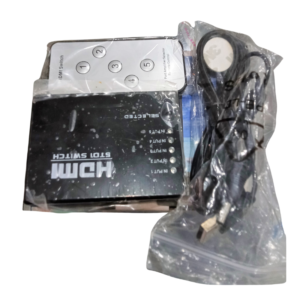
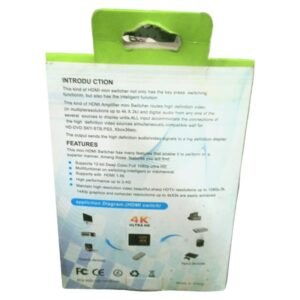
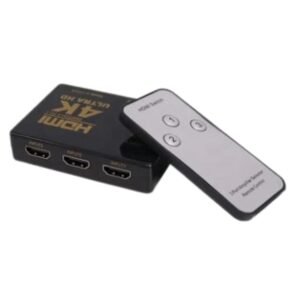
Modern TVs have a limited number of HDMI ports, and most homes have more devices than ports. The 4K Ultra HD HDMI switch lets you connect several HDMI sources, such as a decoder, a console and a streaming box, to one TV input and switch between them easily.
A 4K switch is designed to pass high-resolution video from compatible sources to compatible displays. It is a simple way to add HDMI ports without buying a new TV.
Key Features and Benefits
- Multiple HDMI inputs. Connect several sources to one display.
- 4K Ultra HD capable. Designed for high-resolution video.
- Easy switching. Choose the source with a button or remote.
- Compact. Easy to place behind a TV.
- Saves cable swapping. Keep every device connected.
Where It Works Best
It suits homes with a decoder, game console, streaming stick and Blu-ray player, bars and restaurants with several sources, meeting rooms with multiple laptops and offices that share one display.
Buying Guide: What to Check First
To enjoy 4K, your source, cable, switch and TV must all support it. Ask our team about the number of inputs, the supported refresh rate and HDR, and whether it needs power. Use good quality HDMI cables, especially for 4K.
Installation and Setup Tips
Connect each source to a numbered input and the output to the TV. Power the switch if needed, then choose a source using the button or remote. Check each source for picture and sound, and set your devices to the desired resolution.
What You Need for True 4K
Every part of the chain matters: a 4K source, a high-speed HDMI cable, a switch that supports 4K and a 4K TV. If one link only supports lower resolutions, the picture will drop to that level. Check each device's specifications to make sure you get the quality you paid for.
Choosing a Good HDMI Cable
Cheap, thin HDMI cables can cause flickering and dropouts at high resolutions. Use certified high-speed cables, and keep them as short as practical. A good cable is a small cost that protects a large investment in your TV and sources.
Setting Up Your Entertainment Area
Place the switch where you can reach it or point the remote at it. Label the inputs so family members know which button selects which device. Keep it ventilated and avoid stacking hot devices on top of it. Ask us for a list of suitable HDMI cables for your setup, so that your 4K picture is not limited by a weak cable, and keep the remote control in a safe place. Finally, set each device's output resolution to match your TV, so the picture is sharp and you avoid black screens when switching sources.
Frequently Asked Questions
How many inputs does it have?
Ask us for the exact number.
Does it support HDR?
Ask us.
Does it need power?
Ask us.
Is it 4K at 60Hz?
Ask us for the supported refresh rates.
Buy 4K Ultra HD HDMI Switch From Nosik Mart
Expand your TV with the 4K Ultra HD HDMI Switch. Add it to your cart today, or contact the Nosik Mart team for availability, delivery options and help choosing the right setup.