

Share One Video Source Across Sixteen Monitors
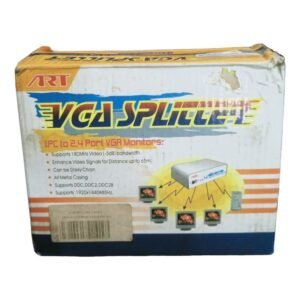
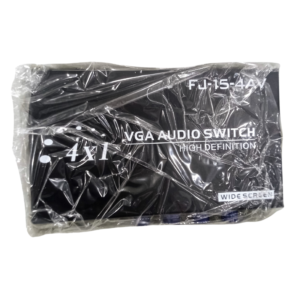
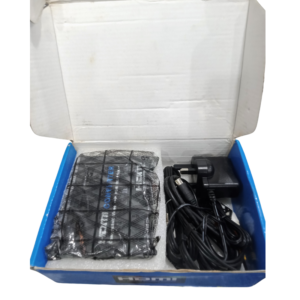
When one computer or player needs to feed many monitors, a splitter does the job. The 16 port video splitter for multiple displays shares a single video source across up to sixteen monitors, so every screen shows the same picture.
The listing does not say which video interface this splitter uses, and video splitters come in VGA and HDMI types. Ask our team to confirm the input and output connectors, so you choose the right cables.
Key Features and Benefits
- Sixteen outputs. Share a source with up to sixteen monitors.
- Single source. One computer or player feeds all displays.
- Same picture everywhere. Ideal for training and presentations.
- Large-scale design. For classrooms, labs and control rooms.
- Cost-effective. Cheaper than sixteen separate sources.
Where It Works Best
It suits computer labs, classrooms, training rooms, call centres and control rooms where a trainer's screen or a live feed must appear on many monitors at once.
Buying Guide: What to Check First
Check whether the splitter uses VGA or HDMI, and make sure your source and monitors match. Ask our team about maximum resolution, cable length limits and power. For VGA, signal quality drops over long cables, so keep runs short or use amplified models.
Installation and Setup Tips
Connect the source to the input and each monitor to an output with the right cable. Power the splitter, then the monitors and the source. Adjust the resolution so it is supported by every monitor, and test each output.
VGA vs HDMI Splitters
VGA is an older analogue standard that is still common in classrooms and offices. HDMI is digital and carries sharper pictures and sound. Match the splitter to your equipment, and avoid converting between formats if you can. Tell us what ports your source and monitors have, and we will confirm the right splitter.
Choosing a Resolution That Works for All
When many monitors share a source, set the resolution to one that every monitor supports. If one older monitor cannot handle a high resolution, lower the setting. A consistent resolution avoids stretched pictures and blank screens.
Classroom and Lab Setups
In a computer lab, a teacher's screen can be shared on every student monitor. This helps with demonstrations and exams. Keep cables tidy with ties and labels. A neat setup makes the room easier to supervise and fix.
Labelling and Testing a Large Setup
With many screens, organisation is everything. Label each output cable and each display with the same number, so you can trace problems in seconds. Before the event or opening day, test every screen for picture and sound, and note any that flicker. Keep a spare cable and a spare display input in your kit. A few minutes of testing and labelling can save an entire day of troubleshooting.
Frequently Asked Questions
Is it VGA or HDMI?
Ask us to confirm the connectors.
Can each monitor show something different?
No, all show the same picture.
What resolution does it support?
Ask us.
Does it need power?
Large splitters usually do.
Buy 16 Port Video Splitter From Nosik Mart
Link your monitors with the 16 Port Video Splitter. Add it to your cart today, or contact the Nosik Mart team for availability, delivery options and help choosing the right setup.