

Present With Confidence, Not Tied to Your Laptop
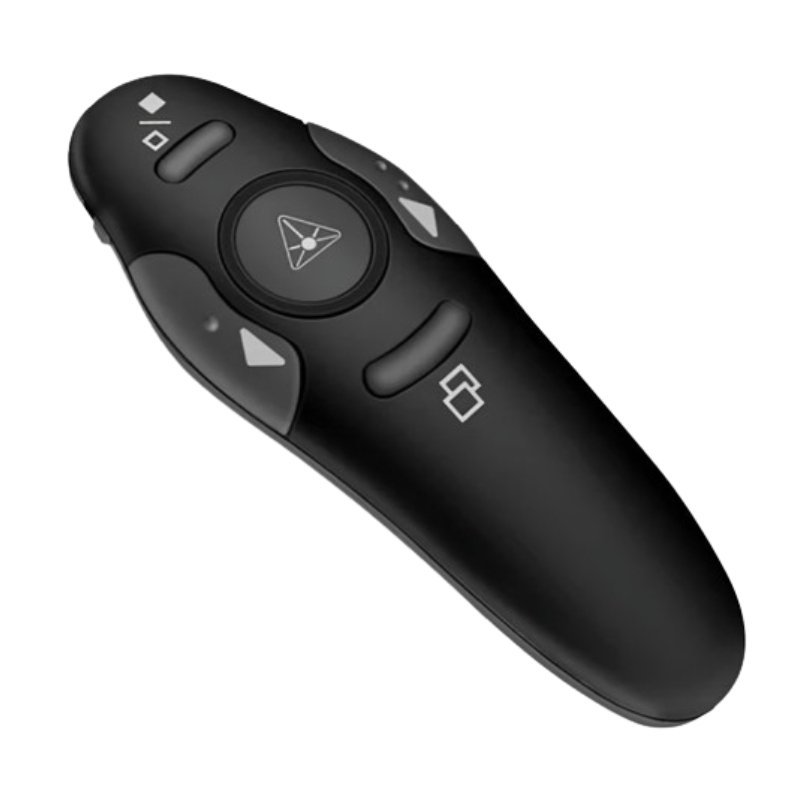
Standing beside your laptop to click through slides makes presentations feel stiff. The wireless presentation clicker from Vinovo lets you move freely and control your slides from across the room, so you can focus on your audience.
A good clicker is small, simple and reliable. It is one of the cheapest ways to make talks, lessons and meetings look more professional.
Key Features and Benefits
- Wireless control. Change slides without touching the laptop.
- Remote pointer. Helps you draw attention to key points.
- Portable. Small enough to carry in a pocket or bag.
- Simple to use. Plug in and present.
- Vinovo brand. A name in affordable accessories.
Where It Works Best
It suits teachers, lecturers, trainers, business presenters, pastors and anyone who gives talks with slides. It is useful in classrooms, boardrooms, conferences and church services.
Buying Guide: What to Check First
Ask our team how it connects, such as a USB receiver, what range it offers, what battery it needs and whether it works with PowerPoint, Keynote and Google Slides. Check your computer has a free USB port.
Installation and Setup Tips
Plug the receiver into the laptop and switch the clicker on. Test the buttons with your slides before the event, and check the range in the actual room. Carry spare batteries, and switch the clicker off after use.
Why Presenters Use Clickers
A clicker lets you walk, gesture and make eye contact while changing slides. That makes you look more confident and keeps audiences engaged. It also stops you from looking down at the laptop or hovering near it, which can break the flow of a talk.
Practising With Your Clicker
Before any important presentation, test the clicker in the room with your actual slides. Learn which button moves forward and back, and practise so you do not have to look down. Test the range from the back of the room. A short rehearsal removes nerves.
Looking After a Clicker
Keep spare batteries in your bag, and switch the clicker off after use. Keep the USB receiver in the clicker or a safe pocket so it does not get lost. Clean it gently with a dry cloth. A little care keeps it ready for every talk. Many presenters keep a spare set of batteries in their laptop bag, together with a printed copy of their slides, so a flat clicker or a technical fault never stops the talk. Test the clicker on the actual laptop you will use, because some computers handle USB receivers differently from others. A quick test the day before any important talk is always worthwhile.
Frequently Asked Questions
What software does it work with?
Most clickers work with common presentation software. Ask us to confirm.
What is the range?
Ask us for this model.
Does it need batteries?
Ask us which batteries it uses.
Do I need drivers?
Many clickers work plug and play.
Buy Wireless Presentation Clicker From Nosik Mart
Move freely with the Vinovo Wireless Presentation Clicker. Add it to your cart today, or contact the Nosik Mart team for availability, delivery options and help choosing the right setup.