



Fast, Reliable Receipt Printing for Busy Counters
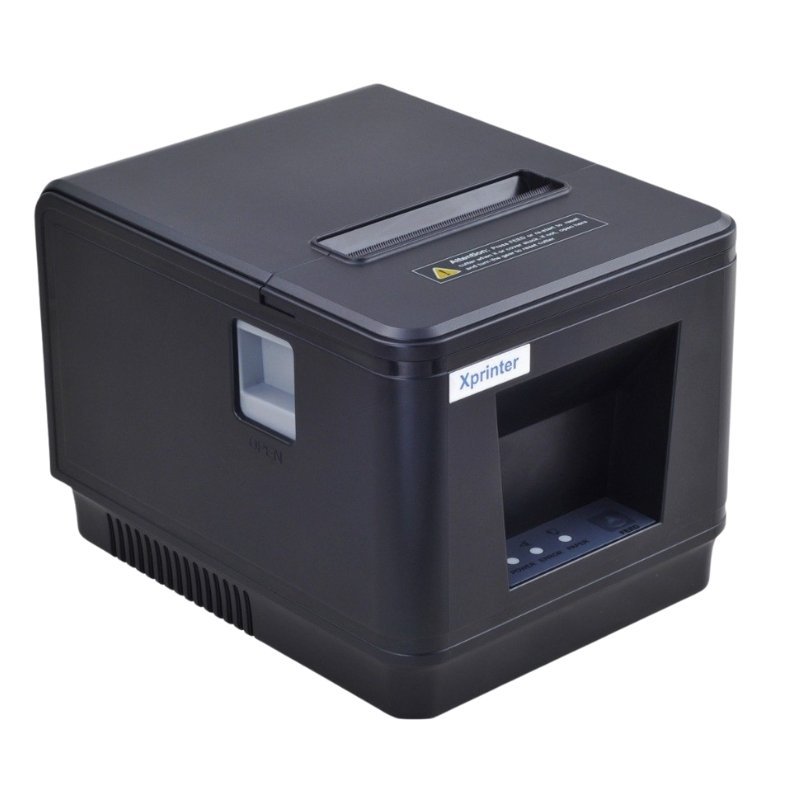
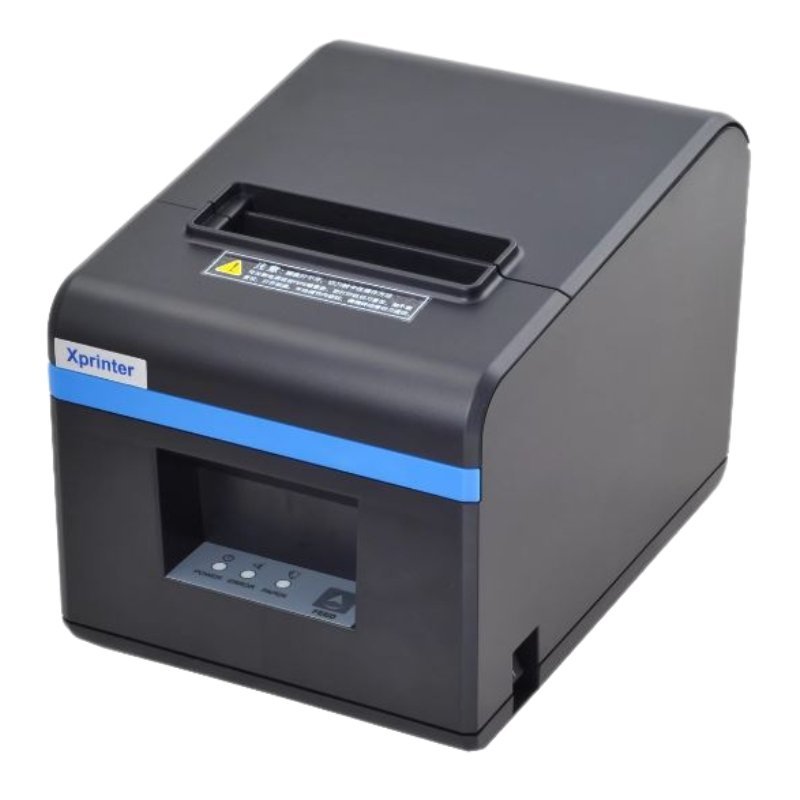
Customers will not wait while a receipt printer slows down the queue. The Xprinter large thermal receipt printer prints on heat-sensitive paper, so it is quick, quiet and needs no ink or toner.
Xprinter is a popular name in point-of-sale printers, used in shops, supermarkets and restaurants. The large model is aimed at counters that print receipts all day.
Key Features and Benefits
- Thermal printing. No ink, toner or ribbons needed.
- Large model. Aimed at busy counter use.
- Quick and quiet. Prints receipts rapidly.
- Xprinter brand. A known name in POS printers.
- Low running cost. Only paper rolls to replace.
Where It Works Best
It suits supermarkets, pharmacies, restaurants, fuel stations, boutiques and any retailer that prints receipts or order slips throughout the day.
Buying Guide: What to Check First
Ask our team about the printer's paper width, speed, interfaces such as USB, LAN or serial, cutter type and compatibility with your POS software. Confirm what the large designation refers to, and check how many paper rolls you will need.
Installation and Setup Tips
Place the printer on a stable counter near the till. Load the paper roll, connect to your POS and install any driver. Print a test receipt and adjust settings. Keep the paper path clean.
Why Retailers Choose Thermal Receipt Printers
They are fast, quiet and cheap to run, which suits busy counters. With no ink to replace, there is less downtime, and a roll of paper is easy to change. Receipts print clearly, helping customers and your records.
Matching a Printer to Your POS
Check that your POS software supports the printer and its connection type. Ask us about drivers and settings, and test before going live. A good match avoids frustrating setup problems on opening day.
Keeping a Receipt Printer Healthy
Use quality paper to protect the print head, and clean it gently when needed. Keep the paper path free of dust and scraps. Store spare rolls in a cool, dark place. Regular care keeps receipts crisp and avoids jams during rush periods.
Managing Receipt Paper at Busy Counters
Running out of paper at the counter holds up the queue. Keep spare rolls close to the printer, and teach staff how to change a roll in under a minute. Check the paper level at the start of each shift, and replace partly used rolls before busy periods. Store spare rolls in a cool, dark place, because heat and light can darken thermal paper. A simple routine prevents embarrassing delays at the till. Keep a note of the paper width your printer uses on a card near the till, so staff never order the wrong rolls by mistake and the counter keeps running.
Frequently Asked Questions
What does Large mean?
Ask us for the exact size and paper width.
Does it use ink?
No, it uses thermal paper.
How does it connect?
Ask us about interfaces.
Does it have an auto cutter?
Ask us.
Buy Xprinter Large Thermal Receipt Printer From Nosik Mart
Speed up checkout with the Xprinter Large Thermal Receipt Printer. Add it to your cart today, or contact the Nosik Mart team for availability, delivery options and help choosing the right setup.