



Cyan Refills for Your HP Tank Printer
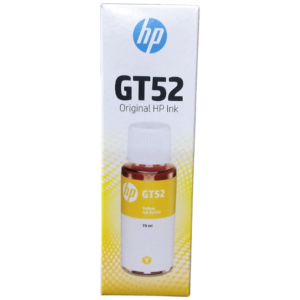
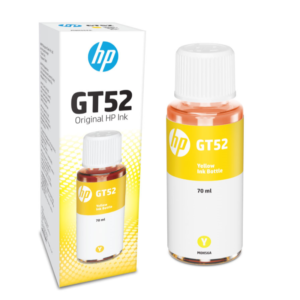
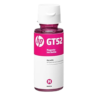
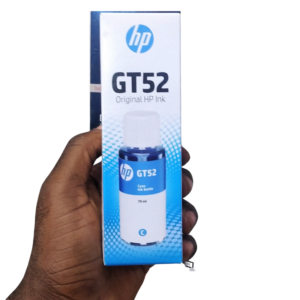
Tank printers are loved for low running costs, but they only deliver if you keep the tanks filled. The HP GT52 cyan ink is a cyan refill for HP printers that use the GT52 reference, keeping blues, greens and graphics true.
Instead of replacing a small cartridge each time, you top up the tank from a bottle. That is why tank printers are popular with schools, print shops and families who print a lot.
Key Features and Benefits
- GT52 reference. Matches the ink reference used by certain HP tank printers.
- Cyan colour. The blue ink for skies, water and graphics.
- HP brand. From the printer maker.
- Tank refill. Designed for refillable ink tank systems.
- Good for heavy printing. Suits high-volume colour use.
Where It Works Best
Use it in schools, print shops, offices and homes with an HP tank printer. It is especially helpful for people who print many coloured pages, such as charts, brochures and photos.
Buying Guide: What to Check First
Check that your printer uses GT52 ink by looking at the printer's label or manual. Ask our team to confirm compatibility with your model. Also check how many bottles you need to refill the cyan tank.
Installation and Setup Tips
Follow the printer's instructions: open the tank cover, match the bottle colour to the correct tank, insert the nozzle and let the ink flow without squeezing. Do not overfill, and wipe away drips immediately. Close the cap firmly and print a test page.
Why Tank Printers Save Money
Tank printers use bottles of ink, which cost far less per page than small cartridges. The trade-off is a higher printer price at the start. If you print a lot, that saving adds up quickly, and refilling is simple once you have done it a few times.
Refilling Without Mess
Work on a flat surface with paper towels nearby. Check the colour of the bottle and tank, squeeze nothing, and let gravity do the work. If ink drips, wipe it at once. Do not leave bottles open, and wash hands afterwards. A tidy approach keeps your printer clean.
Checking Tank Levels
Look at the ink level windows regularly and refill before a tank runs dry, because printing with an empty tank can damage the printer. A quick check each week avoids surprises. Keep a spare bottle of each colour to avoid delays. Keep a spare bottle on the shelf, and note the date each time you refill the tank, so you can see how quickly you use each colour and reorder before you are caught short.
Frequently Asked Questions
Is it a cartridge?
No, it is a refill bottle for tank printers.
Will it fit my printer?
Check for GT52 and tell us your model.
Can I mix colours?
No, match each colour to its tank.
How should I store it?
Upright, sealed and away from sun.
Buy HP GT52 Cyan Ink From Nosik Mart
Keep colour flowing with the HP GT52 Cyan Ink. Add it to your cart today, or contact the Nosik Mart team for availability, delivery options and help choosing the right setup.