

Turn Any Classroom or Meeting Room Into an Interactive Space
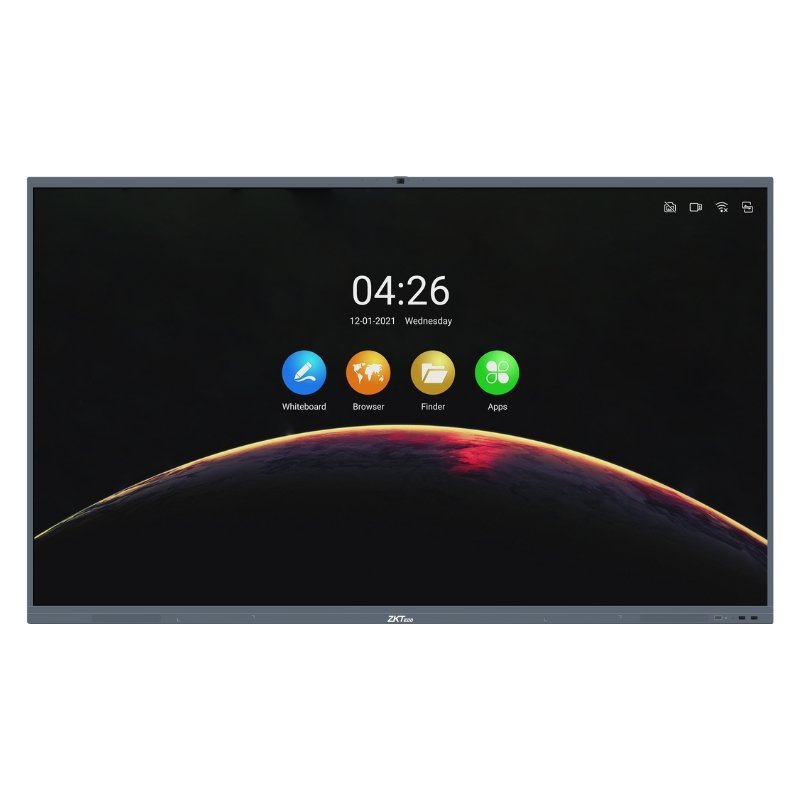
Chalk dust and projector shadows belong in the past. The ZKTeco 4K smart interactive whiteboard from the ZK IWB Series puts a sharp 4K touch display at the front of your room, so presenting, writing and collaborating become far more engaging.
An interactive whiteboard combines a large screen, touch control and digital tools in one device. Teachers can annotate lessons, and business teams can brainstorm and share ideas without printing slides or passing around cables.
Key Features and Benefits
- 4K display. Sharp, detailed visuals that are easy to read from the back of the room.
- Touch interaction. Write, draw and control content directly on the screen.
- Smart whiteboard features. Designed for lessons, workshops and meetings.
- Series flexibility. The ZK IWB Series offers options, so ask us about sizes.
- ZKTeco quality. From a manufacturer known for smart hardware.
Where It Works Best
It suits schools, universities, training centres, boardrooms, conference rooms and creative studios. It is useful anywhere you want people to see, touch and contribute to what is on screen.
Buying Guide: What to Check First
Ask our team about the available screen sizes, operating system, connectivity, included stands or wall mounts and warranty. Measure the room so the screen size suits the viewing distance. Check how files are shared, whether by USB, WiFi or casting.
Installation and Setup Tips
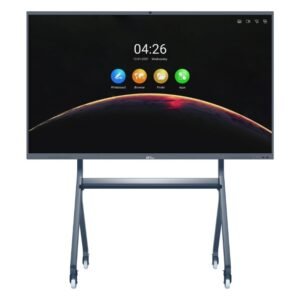
Mount the screen at a comfortable height, ideally on a sturdy wall bracket or a mobile stand. Place it away from glare from windows, and plan power and network outlets before installation. Run a short training session so everyone is comfortable with the touch features.
Why Interactive Displays Beat Projectors
Projectors need dimmed lights, bulbs wear out and shadows fall on the presenter. An interactive display is bright, clear and ready at the touch of a button. Because it is also a touch screen, you can annotate, drag and highlight content directly. Over time, there are fewer bulbs to replace and fewer cables to manage, which can make a display a smarter long-term investment.
Getting the Best From Your Whiteboard
Take time to learn the built-in tools, such as pens, shapes and saving notes. Save each session so students or colleagues can review it later. Keep the screen clean with a soft, dry cloth, and avoid harsh cleaning sprays. If your room has bright windows, use blinds so the display stays easy to see all day long. Finally, ask about warranty, software updates and installation support, because a large display is an investment you want protected from day one.
Frequently Asked Questions
What does 4K mean?
It refers to very high resolution, giving sharper text and images.
Can several people write at once?
Ask us about multi-touch features for this series.
Does it include a stand?
Ask us what is included.
Can I connect my laptop?
Interactive boards usually support laptop connections. Ask us about ports.
Buy ZKTeco 4K Smart Interactive Whiteboard From Nosik Mart
Make teaching and meetings more engaging with the ZKTeco 4K Smart Interactive Whiteboard. Add it to your cart today, or contact the Nosik Mart team for availability, delivery options and help choosing the right setup.