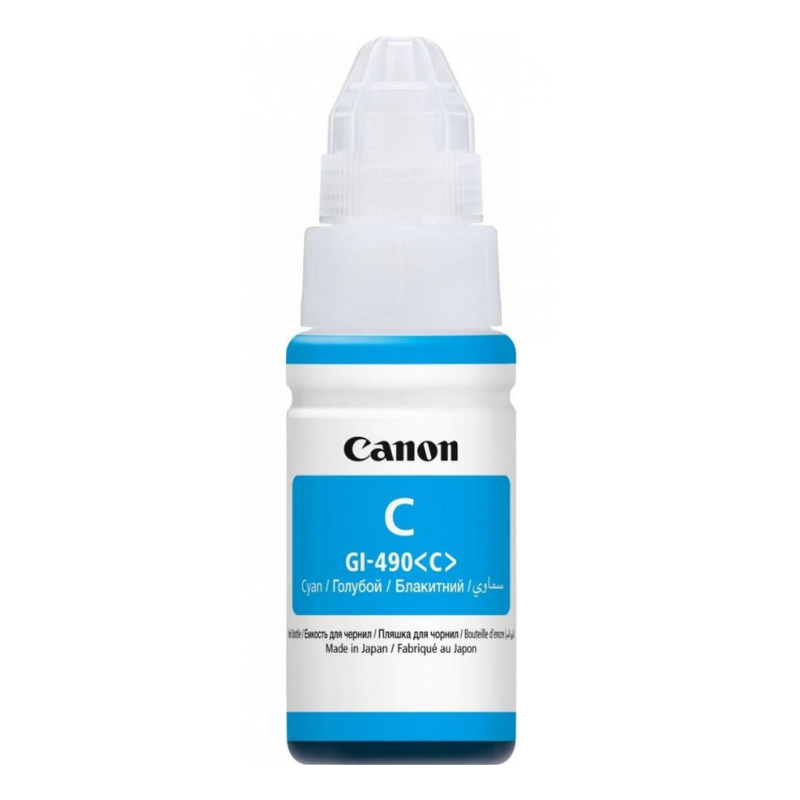


The Blue Behind Your Best Colour Prints
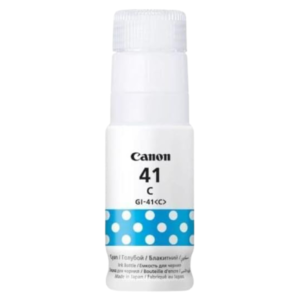
Blue skies, sea, logos and charts all need cyan. The Canon PIXMA 490 cyan ink supplies the cyan in your Canon PIXMA printer, so your prints keep their cool tones and accurate colours.
When cyan runs out, prints often turn reddish or muddy. Replacing it quickly keeps documents and images looking as they should.
Key Features and Benefits
- 490 reference. A specific ink reference to match your printer.
- Cyan colour. The blue ink used to mix blues and greens.
- Canon PIXMA. Made for Canon PIXMA printers.
- Accurate colour. Helps prevent reddish prints.
- Good for graphics. Charts and logos stay clear.
Where It Works Best
Use it for school diagrams, presentations, maps, brochures and photos. Businesses with blue brand colours will especially notice when cyan is low.
Buying Guide: What to Check First
Check your printer's ink reference and confirm that the 490 reference matches. Ask our team for confirmation, and consider the other colours if several are low. Ask about page yield.
Installation and Setup Tips
Replace the ink following your printer's instructions, close the cover and print a test page. Run a nozzle check, and clean the heads if cyan looks weak. Keep your hands off the nozzles.
Checking Cyan With a Nozzle Test
A nozzle check pattern prints small blocks for each colour. If the cyan block has gaps or lines, the nozzle may be clogged or the ink low. Replace the ink if needed, then run a cleaning cycle. Repeat the test to confirm that the pattern is complete.
Choosing Paper for Colour
Coated or photo paper gives richer colour than plain paper. If you print brochures or photographs, choose paper designed for the job. Keep prints flat and dry, and avoid touching until they are fully dry.
Keeping a Colour Spare
If you print in colour weekly, a spare of each colour avoids delays. Note the date you replace each ink. Over time, you will learn which colours you use fastest and can stock accordingly. If you print school diagrams, maps or charts, cyan often carries a lot of the visual weight, because blue is used for water, borders and headings. When cyan runs low, chart lines turn grey or purple, and maps lose their meaning. To avoid this, glance at the ink level before printing important diagrams, and print a quick test strip first. Replacing the cyan early costs less than reprinting a full set of pages, and it keeps your documents clear and professional, which matters when the pages are going to teachers, clients or customers. If you print the same chart regularly, save a test print and compare each new batch against it.
Frequently Asked Questions
Will it fit my printer?
Check for the 490 reference.
Why do my prints look red?
Low cyan can cause a reddish tint.
Is it genuine Canon ink?
Ask us to confirm.
Do you sell all colours?
Yes, ask us.
Buy Canon PIXMA 490 Cyan Ink From Nosik Mart
Keep blues true with the Canon PIXMA 490 Cyan Ink. Add it to your cart today, or contact the Nosik Mart team for availability, delivery options and help choosing the right setup.