


A Pocket 4G MiFi With a Display for Signal, Battery and Data
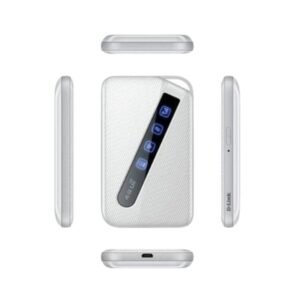
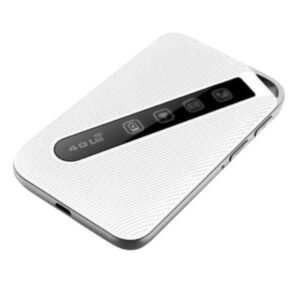
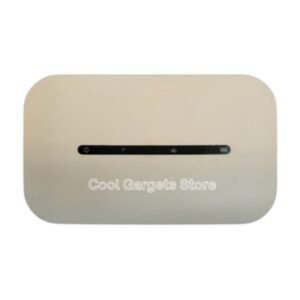
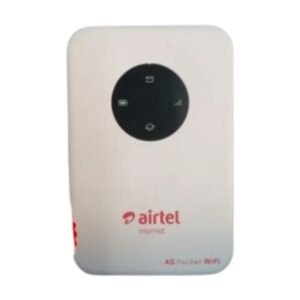
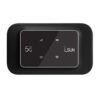
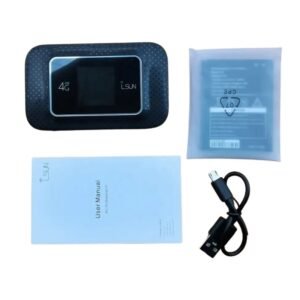
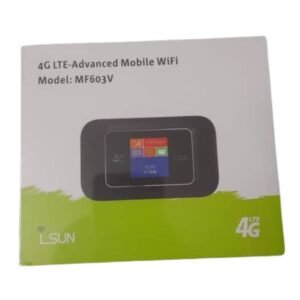
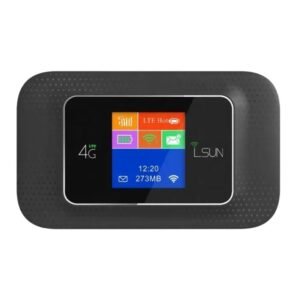
A small screen on a MiFi saves you from guessing. The LSUN 4G LTE MiFi display MF603 is a pocket 4G LTE WiFi hotspot with a display that shows information such as signal strength, battery level and connection status, making it easy to see what is happening at a glance.
It shares a data SIM with several devices, so phones, tablets and laptops can go online without tethering. Ask our team whether it is unlocked and which networks it supports.
Key Features and Benefits
- Built-in display. See signal, battery and status.
- 4G LTE hotspot. Fast mobile internet where covered.
- Pocket-sized. Easy to carry.
- Battery powered. Use it anywhere.
- LSUN MF603. Specific model for easy matching.
Where It Works Best
It suits travellers, students, traders and remote workers who want to see signal and battery at a glance and need a flexible internet source for several devices.
Buying Guide: What to Check First
Ask our team whether the MF603 is unlocked, the supported LTE bands, battery life and the maximum number of devices. Compare it with the non-display version we also stock. Check network coverage where you will use it.
Installation and Setup Tips
Insert a data SIM, switch on the MiFi and wait for it to connect. Read signal and battery on the display, connect your devices and change the WiFi password. Charge it regularly.
Why a Display Is Useful
On a MiFi without a display, you have to open a web page or app to check signal and battery. With a display, you can see them instantly. That helps when you are moving a device to find a better signal or deciding when to charge.
Finding the Best Signal Spot
Move the MiFi near a window, higher up or outdoors, and watch the signal indicator. A small change in position can improve speed. Use the display to find the best spot quickly.
Choosing Between Display and Non-Display
The display model costs slightly more but gives you more information. If you use the MiFi in changing locations, the display is helpful. If you leave it in one place, the non-display version is enough.
Getting More From a Display MiFi
Use the display to keep an eye on battery and data use. If the screen shows weak signal, move the MiFi and watch the indicator improve. Set the screen to turn off after a short time to save battery. Check the display before you leave home to see that the device is charged and connected. Small habits make a display MiFi more useful, and prevent surprises on the road.
Frequently Asked Questions
Is it unlocked?
Ask us.
What does the display show?
Usually signal, battery and status. Ask us.
How is it different from the non-display version?
The display adds status information.
How long does the battery last?
Ask us.
Buy LSUN 4G LTE MiFi Display MF603 From Nosik Mart
See your connection with the LSUN 4G LTE MiFi Display MF603. Add it to your cart today, or contact the Nosik Mart team for availability, delivery options and help choosing the right setup.