




Share One Monitor and Speakers Between Four Computers
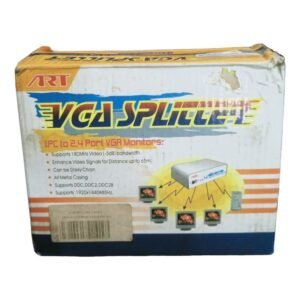
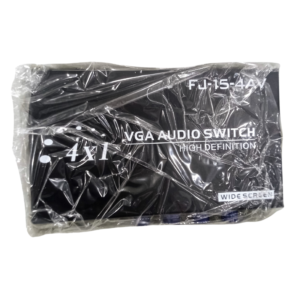
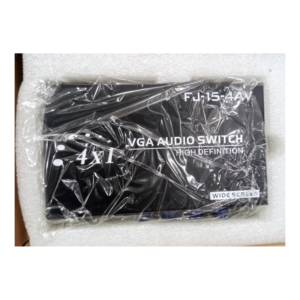
Many offices and labs have several computers but only one good monitor. The 4 ports VGA audio switch lets you connect four VGA sources and their audio to one monitor and one set of speakers, and choose which one to display.
VGA is still common on projectors, older monitors and many PCs. A VGA audio switch carries both picture and sound, so you do not need to swap two cables each time you change source.
Key Features and Benefits
- Four VGA inputs. Connect four computers or sources.
- Audio included. Switch sound along with the picture.
- One monitor. Share a monitor between devices.
- Simple selection. Choose the source you want.
- Saves space. Reduces the need for extra monitors.
Where It Works Best
It suits server rooms, testing benches, classrooms, repair shops and offices that share one monitor between several computers or a projector between several sources.
Buying Guide: What to Check First
Ask our team about maximum resolution, cable length limits and whether it needs power. VGA signals weaken over long cables, so keep runs short. This switch shares a monitor, but it does not share a keyboard or mouse. For that, a KVM switch is needed.
Installation and Setup Tips
Connect each source's VGA and audio cables to a numbered input, and connect the output to the monitor and speakers. Power the switch if needed, then choose a source with the button. Test each input for picture and sound.
Switch or KVM?
A VGA switch shares the monitor and sound, while a KVM switch also shares the keyboard and mouse. If you only need to look at different computers, a switch is enough. If you need to control them, a KVM switch is better. We stock both.
Getting a Sharp VGA Picture
Use good quality, short VGA cables, and set the resolution to the monitor's recommended value. Tighten the screws on the connectors so they do not wobble. A solid connection gives a clearer, steadier picture.
Using a Projector With Several Sources
In meeting rooms, one projector can show several laptops. Connect each laptop to an input, and select the source when it is that person's turn. This avoids unplugging cables and keeps meetings moving.
Using a Switch Behind a Projector
In meeting rooms, a VGA switch can sit near the projector and let several laptops share it. Connect each laptop's cable to a numbered input, and choose the source with a button when it is that person's turn. Label the cables so visitors know which one to use. Keep spare adapters in the room for laptops that have only HDMI. This avoids crawling behind equipment during meetings, and keeps presentations smooth.
Frequently Asked Questions
Does it share the keyboard and mouse?
No. For that, you need a KVM switch.
Does it carry sound?
Yes, audio is included.
What resolution does it support?
Ask us.
Does it need power?
Ask us.
Buy 4 Ports VGA Audio Switch From Nosik Mart
Share one monitor with the 4 Ports VGA Audio Switch. Add it to your cart today, or contact the Nosik Mart team for availability, delivery options and help choosing the right setup.