

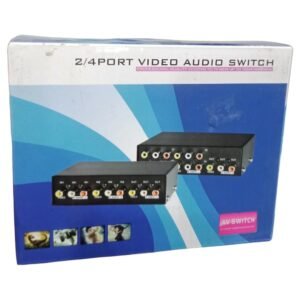
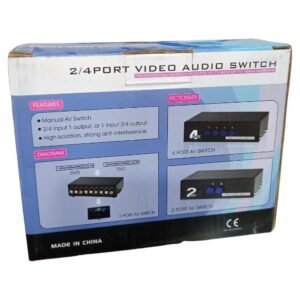

Connect Several Sources to One Screen Without Swapping Cables
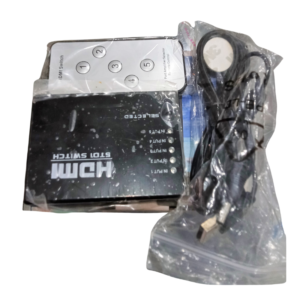
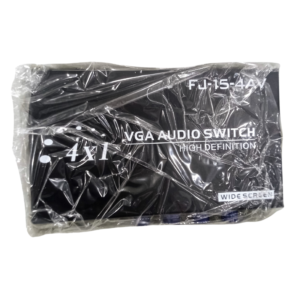
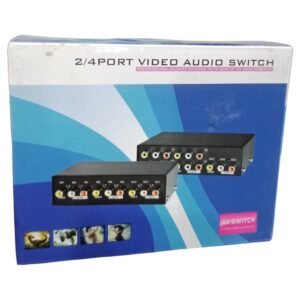
Constantly unplugging cables from the back of the TV is tiresome. The 2-4 port video audio switch lets you connect several video and audio sources to one display and choose between them, so a DVD player, decoder and game console can share the same screen.
The 2-4 in the name suggests a switch with two to four inputs. A video audio switch typically handles both picture and sound, so you only need to select the source you want. Ask our team to confirm the connector type.
Key Features and Benefits
- Multiple inputs. Connect two to four sources.
- Video and audio. Switch picture and sound together.
- One display. Share a TV or monitor between sources.
- Simple selection. Choose the input you want.
- Low cost. An inexpensive way to avoid cable swapping.
Where It Works Best
It suits homes with several devices, small shops, bars, hotels and offices that use one screen for a decoder, DVD player, CCTV recorder and other sources.
Buying Guide: What to Check First
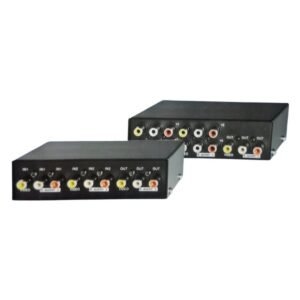
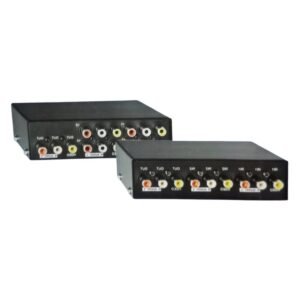
Video audio switches come in different connector types, such as composite RCA or HDMI. Ask our team which one this model uses, and check that your devices and display have matching ports. Confirm whether it needs power or is passive.
Installation and Setup Tips
Connect each source to a numbered input and the output to the display. Power the switch if needed, then select the input you want using the button or remote. Test each source for both picture and sound.
Why a Switch Beats Swapping Cables
Every time you swap a cable, you risk loosening a connector or damaging a port. A switch keeps all your devices connected, so you just press a button. It protects your equipment, saves time and keeps the area behind the TV neat.
Matching Connectors
Before you buy, look at the back of your devices. Note whether they use HDMI, composite RCA or VGA. Buy a switch that uses the same standard, because converting formats costs extra and can reduce quality. If you are unsure, send us a photo, and we will advise.
Tidy Cabling for Home Entertainment
Use cable ties and labels so you know which cable goes to which device. Keep the switch somewhere you can reach it, and leave space for ventilation. A tidy setup makes problems easier to find. Ask us for a short list of the cables you will need, including lengths, so your order arrives complete and you can set up the switch the same day without waiting for missing leads. Check the remote control batteries and keep a spare set, since a flat remote is the most common reason a switch seems not to respond.
Frequently Asked Questions
What connectors does it use?
Ask us to confirm.
Does it need power?
Ask us.
Does it carry sound?
Video audio switches are designed to switch both.
Can I show two sources at once?
No, one source at a time.
Buy 2-4 Port Video Audio Switch From Nosik Mart
Simplify your viewing with the 2-4 Port Video Audio Switch. Add it to your cart today, or contact the Nosik Mart team for availability, delivery options and help choosing the right setup.