

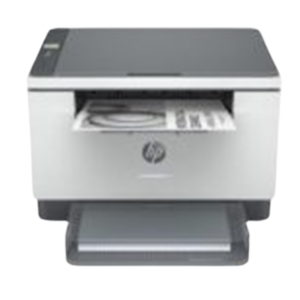

Print, Copy and Scan From One Compact Laser Machine
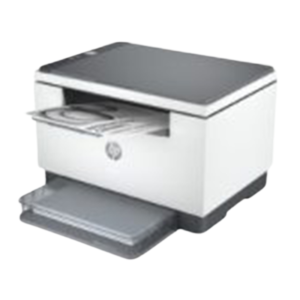
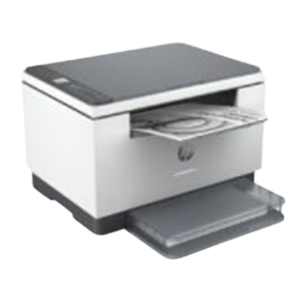
Small offices rarely have room for three separate devices. The HP LaserJet MFP M236D is a multifunction laser printer, so one compact machine can print, copy and scan, and the D in the name usually points to automatic duplex printing.
MFP stands for multifunction printer. It is the version of the M236 family that adds copying and scanning to laser printing, which makes it a practical choice for offices that handle paperwork every day.
Key Features and Benefits
- Multifunction. Print, copy and scan in one unit.
- Mono laser. Sharp black text for documents.
- Likely duplex. D often means two-sided printing.
- Compact. Suits small desks and offices.
- HP LaserJet. A respected office range.
Where It Works Best
It suits small businesses, schools, clinics, accountants and home offices that need to print contracts, copy IDs and scan documents to email.
Buying Guide: What to Check First
Ask our team to confirm whether this model includes a document feeder, how it connects (USB, network or WiFi) and which toner it uses. Compare it with the M236SDN, which has additional letters in its name. Confirm speed and monthly volume.
Installation and Setup Tips
Install the toner, load paper and connect the printer. Install the driver and scanning software, print a test page and try a copy and scan. Set duplex as the default to save paper.
Why Offices Choose Multifunction Printers
A multifunction printer saves space, power and money compared with separate machines. It also makes workflows simpler: you can scan a signed contract and email it, then print a copy for the file, all at the same desk. For small offices, that convenience is hard to beat.
Scanning Tips
Clean the scanner glass regularly, because dust shows up on every scan. Choose a suitable resolution, such as 200 or 300 dpi for documents, and save files in a clear naming system. Back up scanned files to cloud storage or an external drive.
Copying Without Waste
Use the copy preview if available, and check settings before running many copies. Use duplex copying to save paper. A few simple habits reduce wasted paper and toner.
Copy, Scan and Print: Workflow Ideas
A multifunction printer is most useful when you build it into your routine. Scan signed documents straight to email, keep a folder of scanned records named by date and client, and use duplex copying for handouts. Print only what you need, and store the rest digitally. These habits reduce paper use, save time and make documents easier to find. Ask us how to set up scan-to-folder on your model.
Frequently Asked Questions
Can it scan to my computer?
Multifunction printers usually can. Ask us about software.
Is it wireless?
Ask us. WiFi models often have W in the name.
Does it print in colour?
No, mono.
Is it compact?
Yes, the M236 family is compact.
Buy HP LaserJet MFP M236D From Nosik Mart
Combine three jobs with the HP LaserJet MFP M236D. Add it to your cart today, or contact the Nosik Mart team for availability, delivery options and help choosing the right setup.