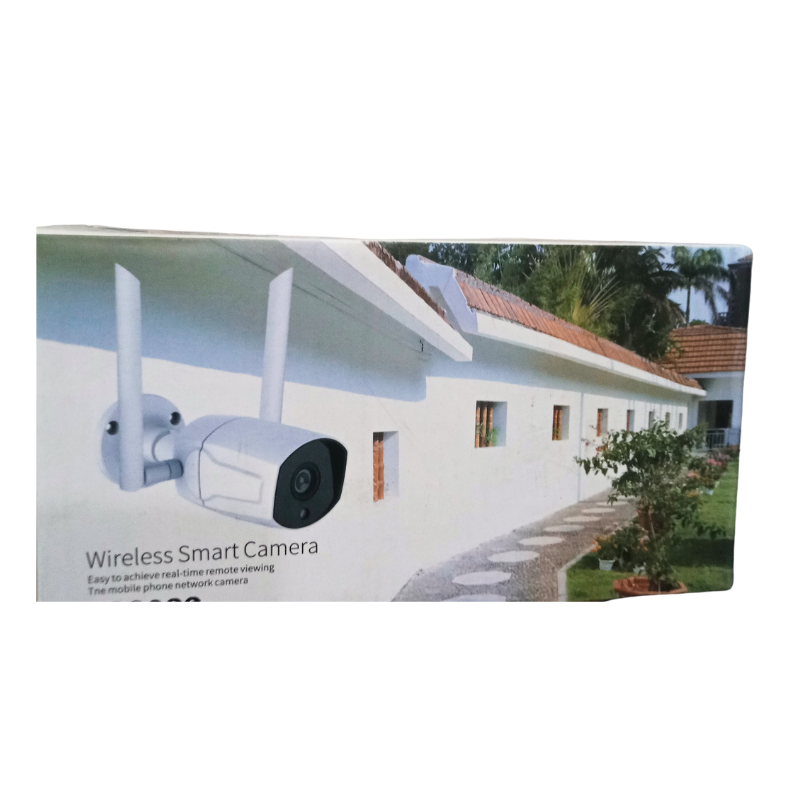


Smart, Wireless and Easy to Set Up
Good security should not need a technician. The Yoosee wireless smart camera connects over WiFi and is designed for easy phone-based viewing, so you can set it up and start monitoring quickly.
Whether you want to check on a shop, a nursery or the front door, a wireless smart camera is a flexible, affordable way to do it. Yoosee cameras are popular for their simple app experience.
Key Features and Benefits
- Wireless design. No video cables to run.
- Smart features. Designed for app-based control.
- Yoosee brand. Popular for simple setup.
- Phone viewing. Check in from anywhere.
- Affordable. Low-cost everyday monitoring.
Where It Works Best
Use it in homes, shops, offices, nurseries and small businesses. It is a good all-round camera for rooms where you want to see doors, counters or play areas.
Buying Guide: What to Check First
Ask our team about resolution, storage, power, app support and whether it is for indoor or outdoor use. Check your WiFi signal where the camera will sit. Respect privacy laws.
Installation and Setup Tips
Place the camera near power and within good WiFi range, connect through the app and set a strong password. Test the live view and adjust the angle. Keep the lens clean and check the connection regularly.
Setting Up a Smart Camera in Minutes
Most smart cameras follow a simple routine: plug in power, install the app, create an account and follow the instructions to connect to your WiFi. Place the camera close to the router during setup, then move it to its final position and test the signal. Set a strong password straight away. If something goes wrong, restart the camera and try again before seeking help.
Protecting Your Privacy
A connected camera needs good security habits. Change default passwords, use a strong WiFi password and keep the app updated. Do not share your login, and review who has access from time to time. Place cameras only where recording is lawful, and respect other people's privacy. Good habits keep your video safe. Think about where the camera will live. Indoors, mount it near power and aim it at doors, counters or play areas, avoiding windows that cause glare. If you want to use it outdoors, ask our team first whether it is suitable and how to protect it from rain. Keep the lens clean, check the picture occasionally and update the app when updates are available, so the camera keeps working smoothly and stays secure over time. If you are ever unsure about a setting, ask our team before changing it, because a small mistake can switch off recording or alerts without you noticing.
Frequently Asked Questions
Does it need WiFi?
Yes, it connects over WiFi.
Is it for outdoors?
Ask us about this model's suitability.
Which app does it use?
Ask us for the Yoosee app details.
Can I record to a card?
Ask us about storage options.
Buy Yoosee Wireless Smart Camera From Nosik Mart
Start watching with the Yoosee Wireless Smart Camera. Add it to your cart today, or contact the Nosik Mart team for availability, delivery options and help choosing the right setup.