



Attendance Tracking That Works on Its Own
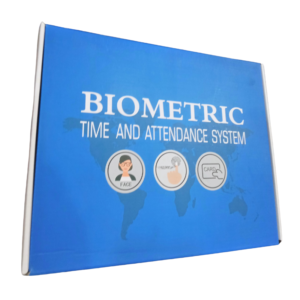
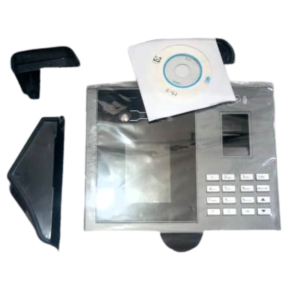
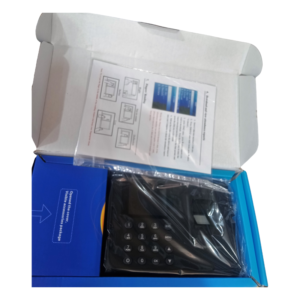
Not every business wants a complicated software setup. The standalone fingerprint time clock records staff arrival and departure using fingerprints, and it is designed to work on its own, without being tied to a computer for everyday use.
Fingerprint identification makes each clock-in personal, which stops colleagues clocking in for each other. For small and medium businesses, that is a simple, effective way to bring order to attendance and payroll.
Key Features and Benefits
- Standalone operation. Designed to work on its own for daily punching.
- Fingerprint identification. Each clock-in is tied to one person.
- Stops buddy punching. Nobody can easily clock in for someone else.
- Payroll-friendly. Reliable records of when staff arrive and leave.
- Simple to use. A quick touch to clock in or out.
Where It Works Best
Use it in offices, shops, schools, clinics, factories, restaurants and warehouses. It also suits small businesses with a handful of staff, as well as larger teams that want a simple clock-in point at the entrance.
Buying Guide: What to Check First
Ask our team how many fingerprints and records it can store, how attendance reports are exported and what power it needs. Check whether it has a battery backup and if it supports software for reports. Confirm installation and mounting needs.
Installation and Setup Tips
Mount the clock near the entrance at a comfortable height and close to power. Enrol each staff member's fingerprint carefully, ideally two fingers each, and set the date and time correctly. Run a test day before using it for payroll.
Why Move Away From Paper Registers
Paper registers are easy to alter, easy to lose and slow to total up at month end. A fingerprint clock timestamps every entry, so records are consistent and fair. Managers spend less time checking sign-in sheets and more time running the business. Staff also know the system is objective, which reduces arguments about lateness and hours.
Getting Good Fingerprint Enrolment
Enrolment quality decides how well the clock works. Clean and dry the finger, press firmly and place it flat on the sensor. Enrol more than one finger per person in case of cuts or dry skin. Show staff the right way to press, and encourage them to keep the sensor clean. Good habits at the start give accurate records for years. Remember to back up your attendance records regularly, for example at month end, and store a copy safely. This protects you if the device is ever replaced and makes payroll disputes much easier to settle with clear, dated records.
Frequently Asked Questions
Does it need a computer?
It is designed to work standalone. Ask us how reports are exported.
How many staff can it hold?
Capacity varies. Ask us for this model.
What if a fingerprint will not read?
Clean fingers and enrol a second finger to improve reliability.
Is it good for a small business?
Yes, it suits small and large teams.
Buy Standalone Fingerprint Time Clock From Nosik Mart
Bring order to attendance with the Standalone Fingerprint Time Clock. Add it to your cart today, or contact the Nosik Mart team for availability, delivery options and help choosing the right setup.