

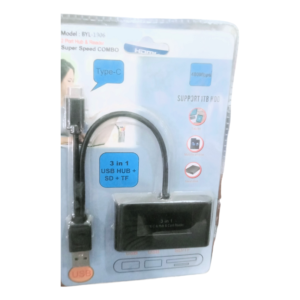

Add USB and Memory Card Slots to Your Type-C Device
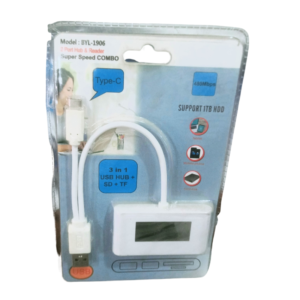
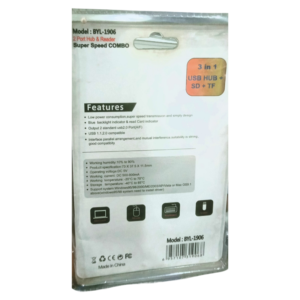
Slim laptops and tablets often have only one or two ports. The 3-in-1 Type-C USB hub plugs into a Type-C port and adds a USB connection plus SD and TF memory card slots, so you can connect flash drives, camera cards and phone memory cards.
It is small enough to carry in a pocket or laptop bag, and it saves you from carrying several adapters. Ask our team to confirm the exact ports, such as the type and speed of the USB connection.
Key Features and Benefits
- Type-C connection. Plugs into modern laptops, tablets and phones.
- USB port. Connect flash drives and other accessories.
- SD and TF readers. Read camera and phone memory cards.
- Compact. Easy to carry.
- Three-in-one. Replaces several adapters.
Where It Works Best
It suits photographers copying photos from SD cards, students using flash drives on slim laptops, phone users transferring files from TF cards and office workers who need extra ports on the move.
Buying Guide: What to Check First
Check that your device supports data over Type-C, because a few ports are for charging only. Ask our team about USB speed, card size limits and whether you can use more than one slot at once. A hub draws power from your device, so avoid heavy loads.
Installation and Setup Tips
Plug the hub into the Type-C port, then insert your card or drive. Wait for the device to recognise it, then copy files. Eject safely before removing cards, and keep the hub dry and clean.
What SD and TF Cards Are
SD cards are used in cameras and some laptops, while TF cards, also called microSD, are used in phones, drones and action cameras. A hub with both slots lets you read most memory cards. Always check the card type before you insert it.
Why Slim Laptops Need Hubs
Thin laptops save space by having few ports. A hub restores the connections you need, such as USB and card readers, without carrying a heavy dock. It is one of the cheapest and most useful laptop accessories.
Safe Use of Memory Cards
Always use the eject option before removing a card or drive, to avoid corrupting files. Keep backups of important photos, and do not use damaged cards. Careful handling protects your files.
Choosing a Hub for Photographers
Photographers often copy hundreds of images from memory cards, so reliability matters more than anything. Choose a hub with the card types you use, keep the contacts clean and always eject safely before removing a card. Carry a second hub as a backup on important shoots. If you work with very large files, ask us about faster readers, so you spend less time waiting and more time shooting. If you plan to carry the hub every day, put it in a small pouch, keep the ports clean and avoid pulling on the cable, because careful handling keeps a small accessory working for years.
Frequently Asked Questions
Does it work with phones?
Many Type-C phones support it. Ask us about your model.
Can I read SD and TF cards together?
Ask us.
Is it fast?
Ask us for the USB speed.
Does it charge my laptop?
Ask us. It is a data hub.
Buy 3-in-1 Type-C USB Hub From Nosik Mart
Expand your ports with the 3-in-1 Type-C USB Hub + SD + TF. Add it to your cart today, or contact the Nosik Mart team for availability, delivery options and help choosing the right setup.