

Black Ink for Busier HP Inkjet Office Printing
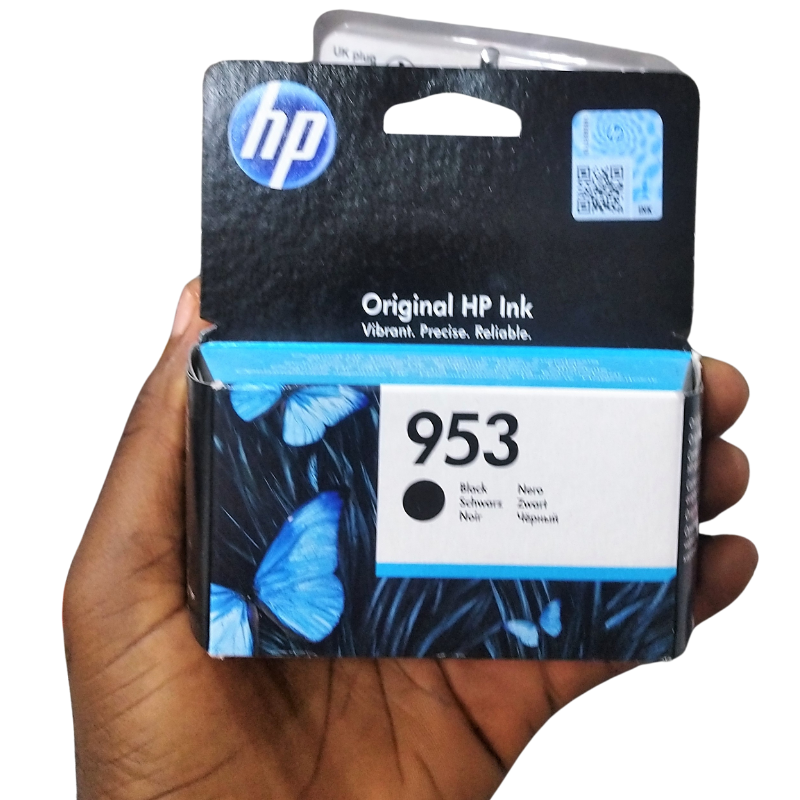
Offices that print every day need ink they can rely on. The HP 953 black ink cartridge is a black cartridge for HP inkjet printers that use the 953 reference, designed to keep documents sharp and dark.
It suits small offices, home offices and teams that need steady black output for invoices, contracts and reports.
Key Features and Benefits
- HP 953 reference. Matches the cartridge reference used by certain HP printers.
- Black ink. The ink behind text and business documents.
- HP brand. From the printer maker.
- Office use. Suits regular printing.
- Quick swap. Easy to replace.
Where It Works Best
Use it in small offices, home offices and shops that print invoices, quotes, reports and forms.
Buying Guide: What to Check First
Check the 953 reference on your printer or cartridge. Ask our team to confirm compatibility and the expected yield. Consider keeping a spare if your office prints daily.
Installation and Setup Tips
Open the cartridge door, remove the old cartridge, unwrap the new one, remove the seal and insert it until it clicks. Close the door and print a test page.
Why Offices Keep Spares
When a cartridge runs out in the middle of a rush job, the cost of waiting is higher than the cost of the cartridge. A spare black cartridge on the shelf avoids that. Reorder as soon as you open the spare, and keep a note of how long each one lasts.
Keeping Documents Professional
Faded or streaky text looks careless. If print quality drops, run a nozzle check, clean the heads once and replace the cartridge if needed. Use good paper for client documents. Small steps keep your output looking professional.
Cartridge Storage
Keep unopened cartridges in their packs, in a cool, dry place away from sun. Do not freeze or overheat them. Use older stock first. Good storage keeps cartridges ready.
Running a Small Office Printer Efficiently
In a small office, the printer is used by several people, so a few shared rules help. Choose someone to check supplies weekly, keep a spare black cartridge, set double-sided printing as the default and ask staff to print only what they need. Keep a short note beside the printer showing the cartridge reference and where spares are kept. These simple rules prevent last-minute emergencies and cut waste.
Handling Paper Jams and Print Problems
Most jams come from damp, curled or overfilled paper. Switch off the printer, open the covers and pull the sheet out gently in the direction of the paper path. Check for torn scraps, close the covers and restart. If prints are faint or streaky, run a nozzle check and clean the heads once. If problems continue, replace the cartridge or ask for advice.
Frequently Asked Questions
Will it fit my printer?
Check for the 953 reference.
Do I need colour cartridges too?
Colour is separate. Ask us.
How many pages?
Ask us for yield.
Do I need to align?
Your printer may prompt you.
Buy HP 953 Black Ink Cartridge From Nosik Mart
Keep business documents sharp with the HP 953 Black Ink Cartridge. Add it to your cart today, or contact the Nosik Mart team for availability, delivery options and help choosing the right setup.