

A Networked Fingerprint Terminal for Growing Organisations
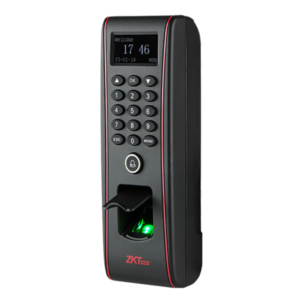
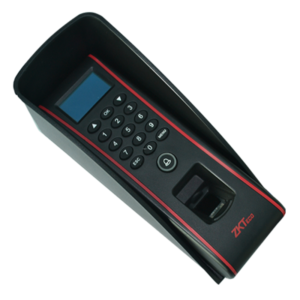
When you have several entrances or branches, you want your data in one place. The ZKTeco TF1700 is an Ethernet connection-based fingerprint terminal that connects to your network, making it easier to manage users and records centrally.
Ethernet connection tends to be more stable than wireless in busy offices and factories. For organisations that rely on attendance or access data, a wired terminal is a dependable choice.
Key Features and Benefits
- Ethernet connection. Stable, wired network connection.
- Fingerprint identification. Reliable personal identification.
- Central management. Manage users and records over your network.
- Model TF1700. Easy to identify and replace.
- ZKTeco brand. Trusted for biometric terminals.
Where It Works Best
It suits offices, factories, schools, hospitals, warehouses and multi-branch businesses. It is helpful wherever managers need attendance or access data collected on a network.
Buying Guide: What to Check First
You will need a network port near the terminal, plus power. Ask our team about capacity, software and whether the TF1700 supports attendance, access control or both. Confirm cable lengths and any network settings your IT team needs.
Installation and Setup Tips
Mount the terminal near the entrance, connect it to your network and give it a fixed address if your IT team advises. Enrol users carefully, test the connection from your PC and confirm records appear in the software.
Why Wired Networks Are Reliable
WiFi can drop in crowded buildings or where walls block signal. A wired Ethernet connection stays stable, so records arrive on time. For attendance or access systems, that stability matters, because gaps in data cause confusion and payroll errors. If you can run a network cable to the terminal, a wired device is often the more dependable choice.
Working With Your IT Team
Share the terminal's network needs with your IT team before installation. They can reserve an address, check security and make sure the software can reach the device. Document settings and passwords in a safe place. A little coordination saves time and keeps your system running smoothly.
Securing Your Networked Devices
Any device on your network should be protected. Change default passwords as soon as you install the terminal, and use strong, unique ones. Keep the device on a trusted part of the network if your IT team can arrange it, and limit who can access the management software. Update firmware when updates are available, and keep a record of device addresses and settings. A few simple security steps protect your attendance and access data from misuse. Also remember to schedule periodic reviews of who has access to the management software, removing old accounts so that only the right people can change settings or export records.
Frequently Asked Questions
Does it need WiFi?
It uses an Ethernet connection.
Is software included?
Ask us about software.
Can I manage several terminals?
Networked terminals can usually be managed together.
Is it suitable for access control?
Ask us about features.
Buy ZKTeco TF1700 From Nosik Mart
Connect your attendance and access with the ZKTeco TF1700. Add it to your cart today, or contact the Nosik Mart team for availability, delivery options and help choosing the right setup.